Why Screen Size Is the Starting Point for Any Tablet Decision
When evaluating a tablet, screen size isn't just one spec among many - it's the variable that shapes nearly everything else about the experience. It determines what you can comfortably do, how long you can hold the device, what bag it fits in, and how the price compares to what you actually get.
Unlike TV or laptop screens, where you're typically seated at a fixed distance, tablets are held, propped, passed around, and used in wildly different positions. That physical relationship between your hands and the screen makes size a functional decision, not just a preference.
For a broader look at how tablet size stacks up against smartphone use, see how phones and tablets compare for daily use.
10-11"
Most common tablet screen size sold
Industry sales data consistently shows mid-size tablets in the 10-11 inch range representing the largest share of consumer tablet purchases.
~1 lb
Typical weight of a compact tablet
Most tablets under 9 inches weigh between 0.65 and 1.05 pounds, making them significantly lighter than mid-size and large models.
2x
Approximate screen area difference: 8" vs. 12"
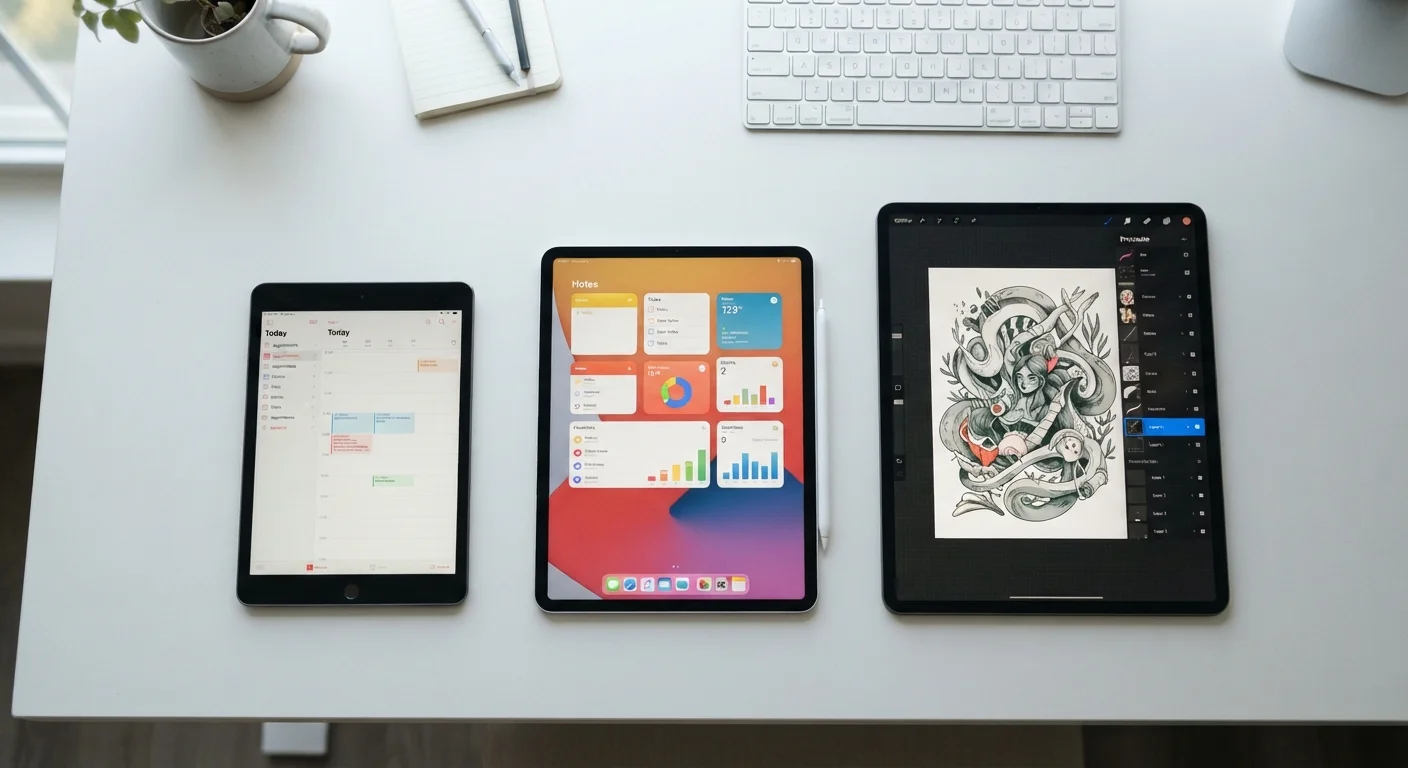
A 12-inch tablet has roughly twice the screen area of an 8-inch model, significantly changing how much content is visible without scrolling.
Compact Tablets: Under 9 Inches
Tablets in the 7-8.9 inch range prioritize portability above everything else. They slip into a jacket pocket or small bag, weigh under a pound in most cases, and can be operated comfortably with one hand. That makes them practical on commutes, in waiting rooms, and for children.
Where compact tablets fall short is multitasking. Split-screen apps become genuinely cramped at these sizes, and reading PDFs or spreadsheets often requires constant zooming. They're well-suited for streaming video, casual gaming, reading, and light browsing - tasks where you consume content rather than create it.
Try Before You Decide on Size
If possible, handle different tablet sizes in person before purchasing. The difference between 8 and 11 inches is harder to judge from spec sheets than from actually holding each device. Pay attention to whether you can comfortably hold it with one hand and whether the weight feels sustainable for your typical use duration.
Mid-Size Tablets: 9 to 11 Inches
The 9-11 inch range has become the de facto standard for most tablet buyers, and for good reason. It offers enough screen space to comfortably display a full webpage, a movie at a natural aspect ratio, or a split-screen view of two apps - without the heft that makes larger models awkward to hold.
This range also aligns well with keyboard accessories. At 10-11 inches, a tablet's on-screen keyboard reaches a size where touch-typing becomes feasible, and optional physical keyboard cases are proportioned realistically for adult hands. For students, travelers, and people who want one device to handle both media consumption and light productivity, mid-size tablets represent the most flexible option.
Large Tablets: 12 Inches and Above
Large-format tablets - anything at 12 inches or bigger - occupy a distinct use case. They're closest in feel to a laptop screen, and that's both their strength and their limitation. Creatives who draw, annotate documents, or edit photos benefit from the expanded canvas. Professionals who regularly review spreadsheets, slide decks, or technical diagrams find the extra real estate genuinely useful.
The trade-off is portability and weight. These devices are typically 1.5 to 2 pounds or more, which makes extended handheld use tiring. Most users end up treating them like portable monitors - propped on a stand or used with a folio case rather than held freely. If you're comparing how screen size decisions translate across other screen categories, laptop display specs follow similar logic.
Large Tablets and Keyboard Accessories
If you're considering a large tablet as a laptop alternative, verify keyboard accessory compatibility before purchasing. Not all keyboard cases fit every tablet model, and the typing experience can vary considerably between first-party and third-party accessories. A keyboard that feels cramped undermines the productivity advantage a larger screen is supposed to provide.
Aspect Ratio: The Spec That Changes What 'Size' Actually Means
Two tablets can share the same diagonal screen size but display content very differently based on aspect ratio - the proportional relationship between width and height. A 10-inch tablet with a 16:10 ratio will feel noticeably wider and better for video; the same 10-inch screen at 4:3 will feel taller and better for documents or web browsing.
Widescreen ratios (16:9 or 16:10) suit media consumption and landscape-mode use. Squarer ratios (4:3) are more natural for reading, browsing in portrait mode, and handwritten note-taking. Neither is objectively better - the right choice depends on what you'll actually do with the device most often.
This is a dimension of tablet selection that many buyers overlook entirely when shopping based on size alone. Before choosing, think about whether you'll mostly hold the tablet vertically or horizontally, and what type of content you'll view most often.