Why Discount Stacking Goes Wrong
The appeal of layering a sale price, a coupon, a loyalty discount, and a rebate into a single purchase is real - but so is the risk of misreading the rules. Most stacking mistakes aren't about greed or error; they happen because different discount types originate from different sources and carry independent terms that aren't always surfaced prominently.
Manufacturer coupons are issued by the brand and can usually be combined with store coupons issued by the retailer. That's a common and legitimate stack. Where things break down is when shoppers assume that "more layers = more savings" and start adding promotional codes that explicitly exclude other offers. The result is a rejected code, a confused cashier, or a cart total that looks right but hides a fee or voided discount.
Understanding the full cost behind a price tag is part of the same skill set. A stacked discount that sounds impressive on paper may still leave you paying more than a competitor's straightforward price - which is why it's worth checking prices across multiple sites before committing.
What you will need
Retailer Coupon Policy Page
Confirms which types of discounts can be combined and which are excluded.
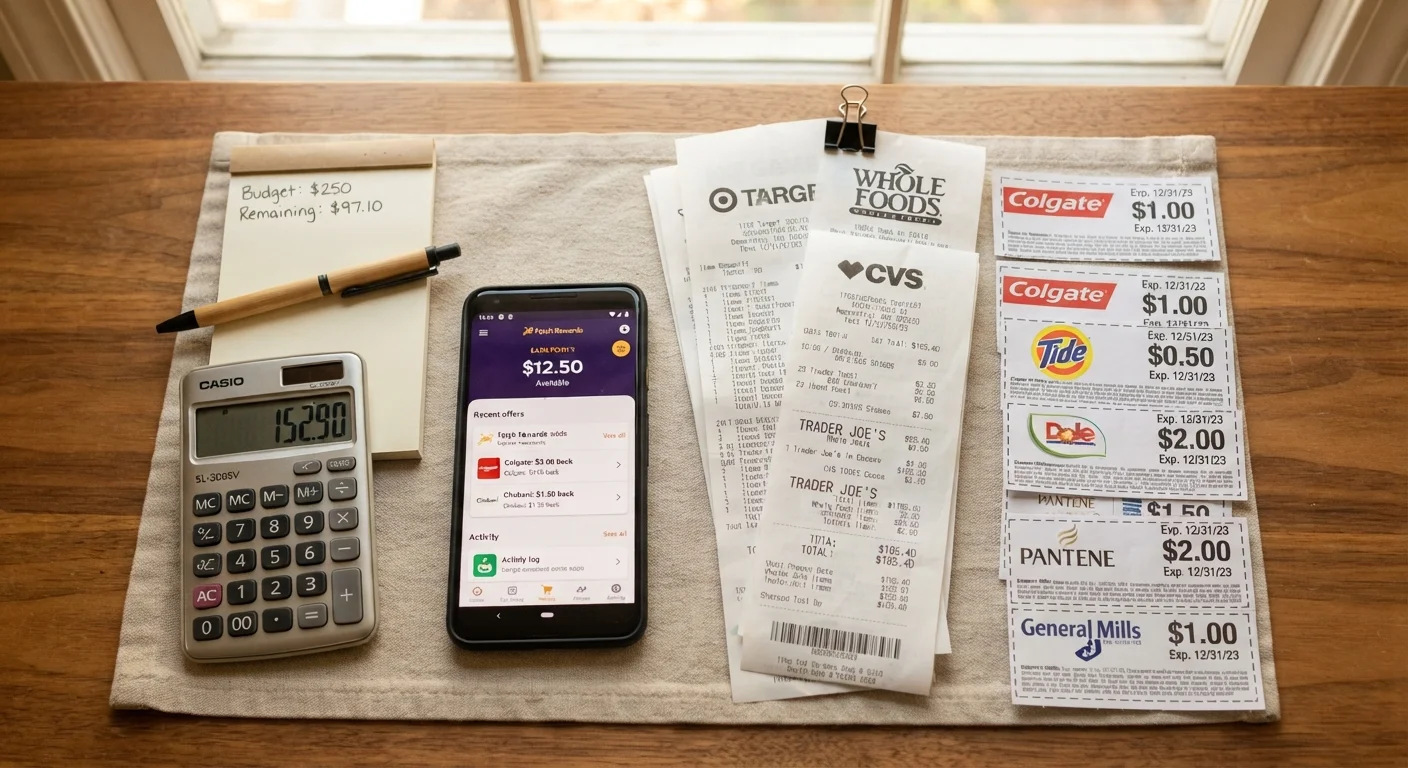
Digital Rebate App
Submits post-purchase rebate claims and tracks payout status.
Notes App or Spreadsheet
Tracks coupon codes, expiration dates, and rebate submission deadlines in one place.
Store Loyalty Account
Unlocks member-exclusive pricing and allows loyalty points to apply after other discounts.
How to Stack Discounts Without Mistakes
The steps below walk through a repeatable approach that works for in-store and online purchases. Whether you're combining a clearance tag with a store app coupon or layering a cashback program over a sale price, the same core logic applies: read each discount's terms independently, confirm the retailer's stacking policy, and apply in sequence.
Fine Print Can Void Your Entire Discount
Many promotions include exclusion clauses that cancel the deal if another coupon or code is applied simultaneously. Always read the terms of each discount before combining them. When in doubt, contact the retailer's customer service to confirm what stacks and what doesn't - this takes two minutes and can save a real headache at checkout.
Identify every discount available for the item
Before applying anything, list all the discounts attached to your purchase: sale or clearance pricing, manufacturer coupons (from the brand itself), store coupons (issued by the retailer), loyalty member pricing, digital rebates, and cashback programs. Treat each as a separate layer. Missing even one source means leaving money on the table - but combining them incorrectly can trigger exclusion clauses that void the deal entirely.
Read the terms of each discount individually
Every coupon or promotion carries its own conditions. Look specifically for: (1) expiration date, (2) minimum purchase thresholds, (3) excluded categories or brands, and (4) language like "not valid with any other offer" or "one coupon per transaction." Note these restrictions in your tracking document. This step prevents the frustrating scenario where a code fails silently at checkout and you don't know why.
Check the retailer's official coupon stacking policy
Retailers draw a consistent line between manufacturer coupons and store coupons - typically, one of each per item is permitted. Confirm this on the retailer's coupon policy page before checkout. Some retailers also restrict stacking with loyalty discounts or clearance items. This step takes under two minutes and is the single most reliable way to avoid a rejected code at the register. See also: this pre-purchase checklist for a broader set of things to verify before completing any purchase.
Apply discounts in the correct sequence
Order matters. Start with the base sale price, then apply manufacturer coupons, followed by store coupons or member discounts, and finish with cashback or rebate programs. Applying a store coupon before a manufacturer coupon can sometimes cause the system to treat both as store-issued and reject one. For online purchases, enter codes one at a time and confirm each is accepted before entering the next.
Submit rebates promptly and track deadlines
Rebates - whether mail-in or digital - do not apply automatically. After purchase, gather all required documentation: receipt, product barcode or UPC, and any submission form. Set a calendar reminder for the rebate deadline the same day you buy. For digital rebates, photograph your receipt immediately and upload it through the app before closing the transaction window. Failing to submit on time is one of the most common ways shoppers lose savings they've already earned.
Verify the final price and savings after checkout
Review your receipt or order confirmation and confirm every discount was applied correctly. If a code was accepted but the price didn't change as expected, contact customer service right away - most retailers can apply missed discounts to a recent order if you act quickly. Cross-check any cashback or rebate submissions to ensure they appear as pending in the relevant app or account.
Stack in the Right Order Every Time
A reliable sequence is: apply the sale price first, then manufacturer coupons, then store coupons or loyalty discounts, and finally cashback or rebate programs. This order mirrors how most retailers process discounts and reduces the chance of a code being rejected. When shopping online, add all items to your cart and apply codes one at a time, confirming each is accepted before moving to the next.
Rebates Often Have Strict Submission Deadlines
Mail-in and digital rebates frequently expire within 30 days of purchase, and missing the window means forfeiting the savings entirely. Keep your receipt and any required UPC codes in a dedicated folder immediately after purchase. Set a calendar reminder on the day you buy so you don't forget to submit.
For more on how cashback programs interact with loyalty point systems - two common stacking elements - the cashback vs. loyalty points breakdown explains which model tends to deliver more value depending on your habits. And before finalizing any purchase, it's worth running through the return policy details - a voided discount can complicate a return if the original price is in dispute.